Run your electrical shop from one desk.
Quotes, the dispatch board, crew clock-ins, timesheets and invoices in one system, with Sage 50 export. Built inside an electrical shop in Ontario.
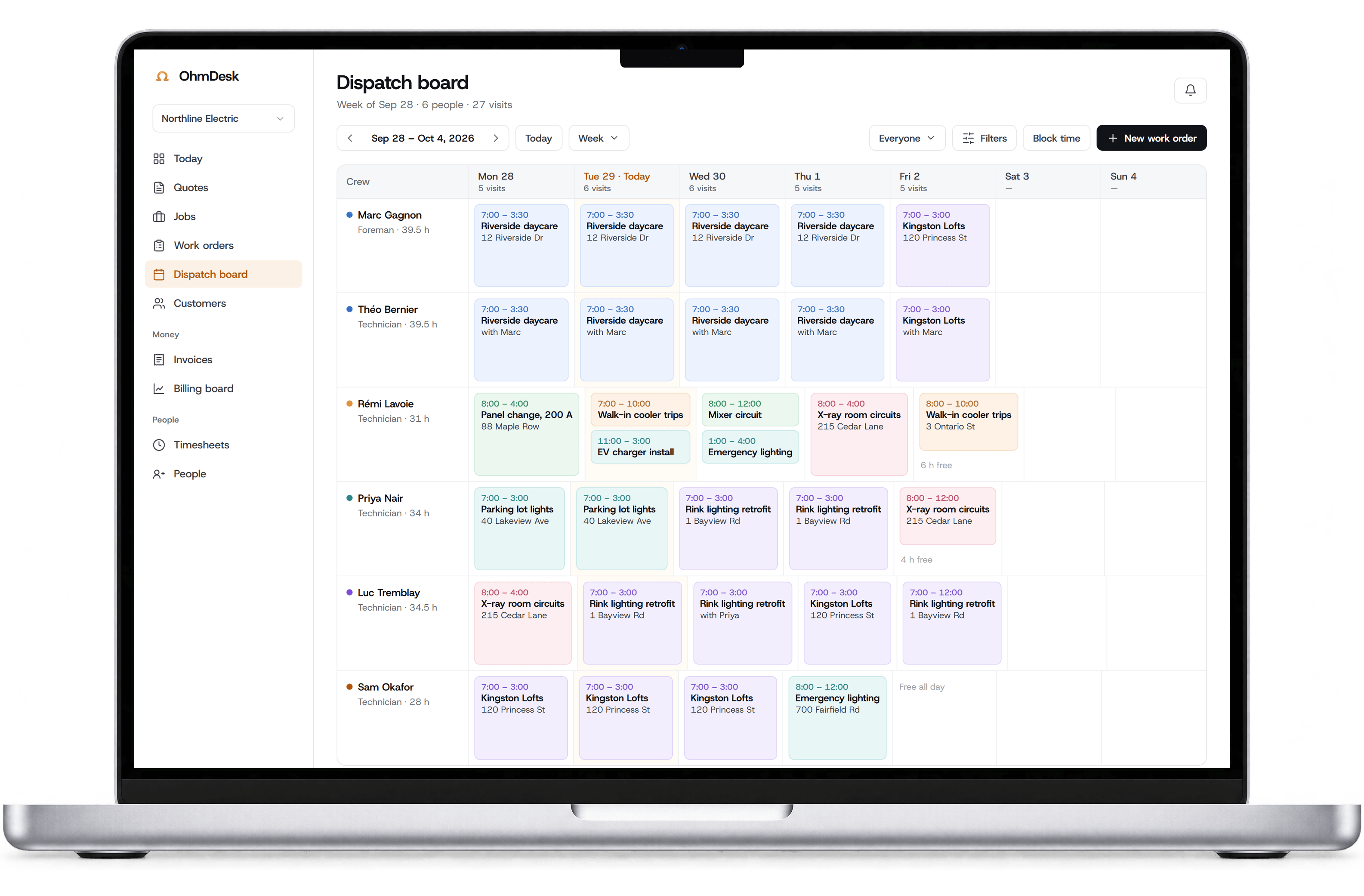
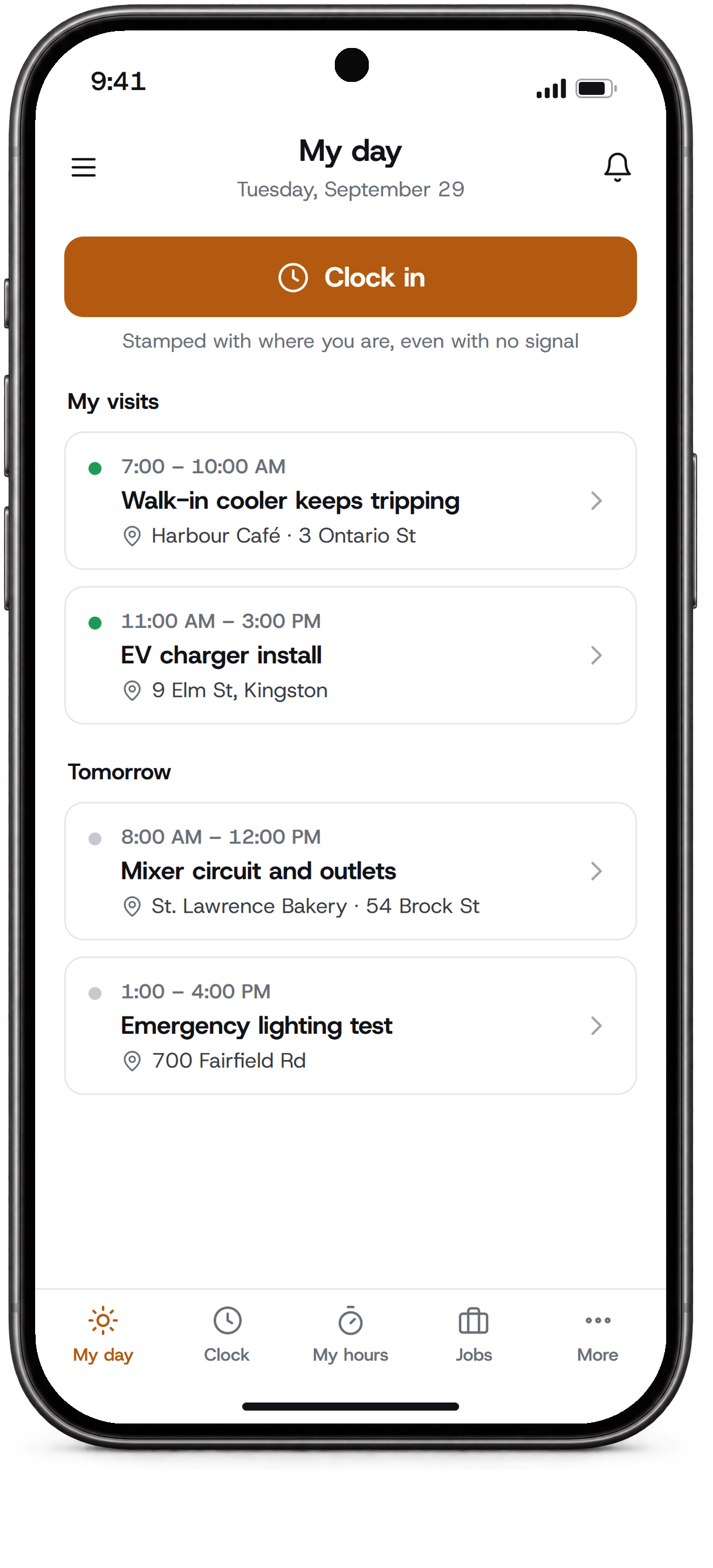
Every job, from the first call to paid.
OhmDesk follows the job the way your shop already runs it: a quote, a booked day, the crew on site, the invoice, the payment. Nothing gets typed twice.
Mon 9:14
Quote sent
Built from your prices, emailed as a PDF.
Mon 4:40
Accepted
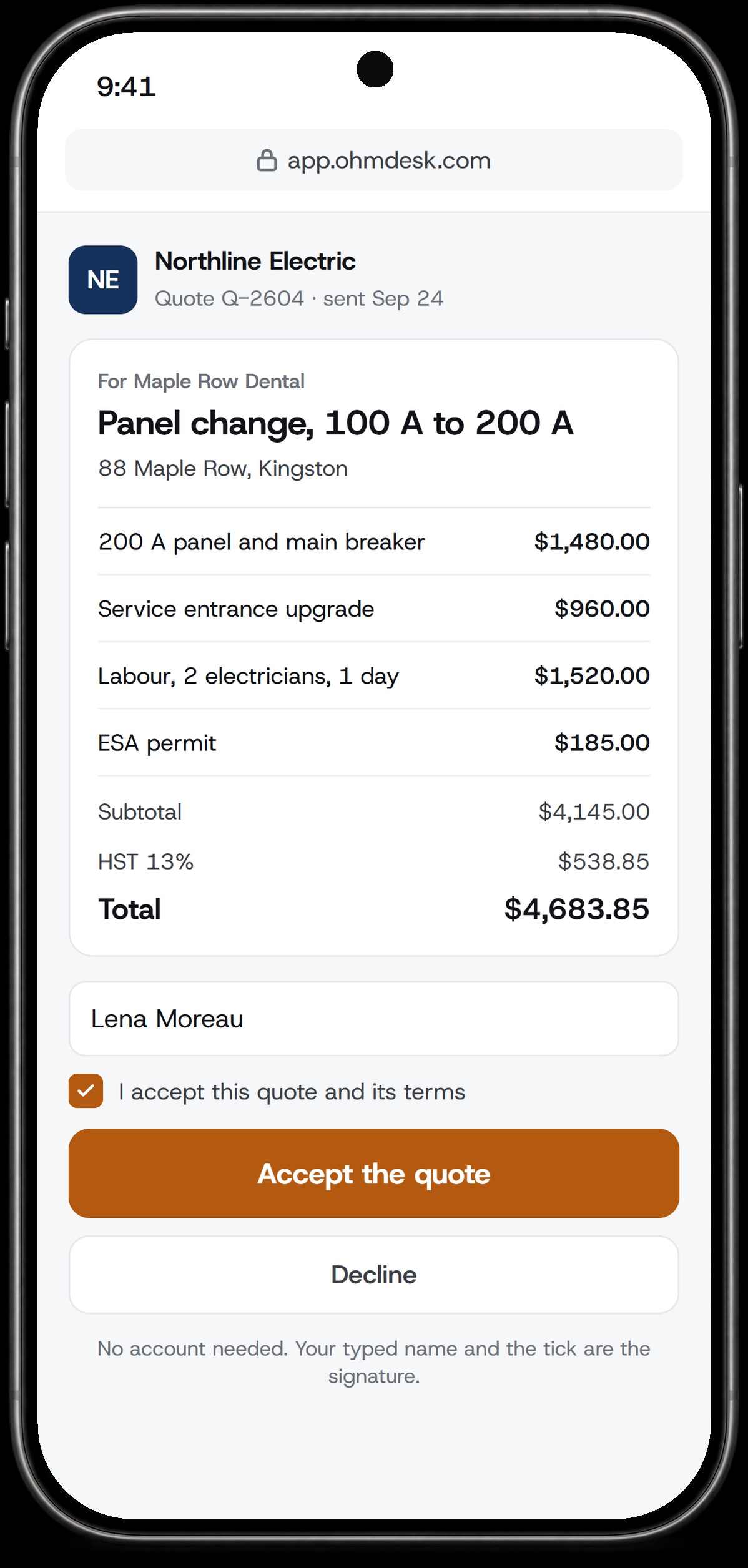
The customer accepts it on their phone.
Tue 8:02
Booked
Dragged onto Rémi's Wednesday on the board.
Wed 7:31
Clocked in
From the truck, stamped with where he was.
Thu 10:15
Invoiced
His hours and parts are already on it.
Fri
Paid
Marked paid. Month-end goes to Sage 50.
Quote from the drawings.
Upload the drawing set and the AI reads the legend, counts every outlet, switch and light on each plan sheet, and turns the counts into lines from your own price list. You confirm them; nothing goes on the quote until you add it.
- PDF drawing sets, up to 40 pages
- Every sheet read twice; a third reading settles any disagreement, and anything unsure is marked for you
- Counts become your own items and assemblies, at your prices
- Conduit and wire runs are still yours to price
What the AI counted on the legend’s symbols
- Duplex receptaclebecomes Receptacle, rough-in and deviceCheck0
- Single-pole switchbecomes Switch, rough-in and deviceCheck0
- 2x4 LED trofferbecomes LED troffer, supply and installCheck0
- Exit signbecomes Exit sign, LEDCheck0
- Smoke alarmbecomes Smoke alarm, hard-wiredCheck0
Smoke alarms: the two readings disagreed and a third broke the tie. Worth a look before it goes on the quote.
Add to the quoteQuotes your customer approves from their phone.
Build the quote from your own price list, send it as a PDF with a link, and the customer accepts it on their phone: they type their name and tick the box. The accepted quote becomes the job, with its project manager already on it.
- Your own prices and assemblies
- Accept or decline from the link, no account needed
- The accepted quote becomes the job
Hours come straight from the truck.
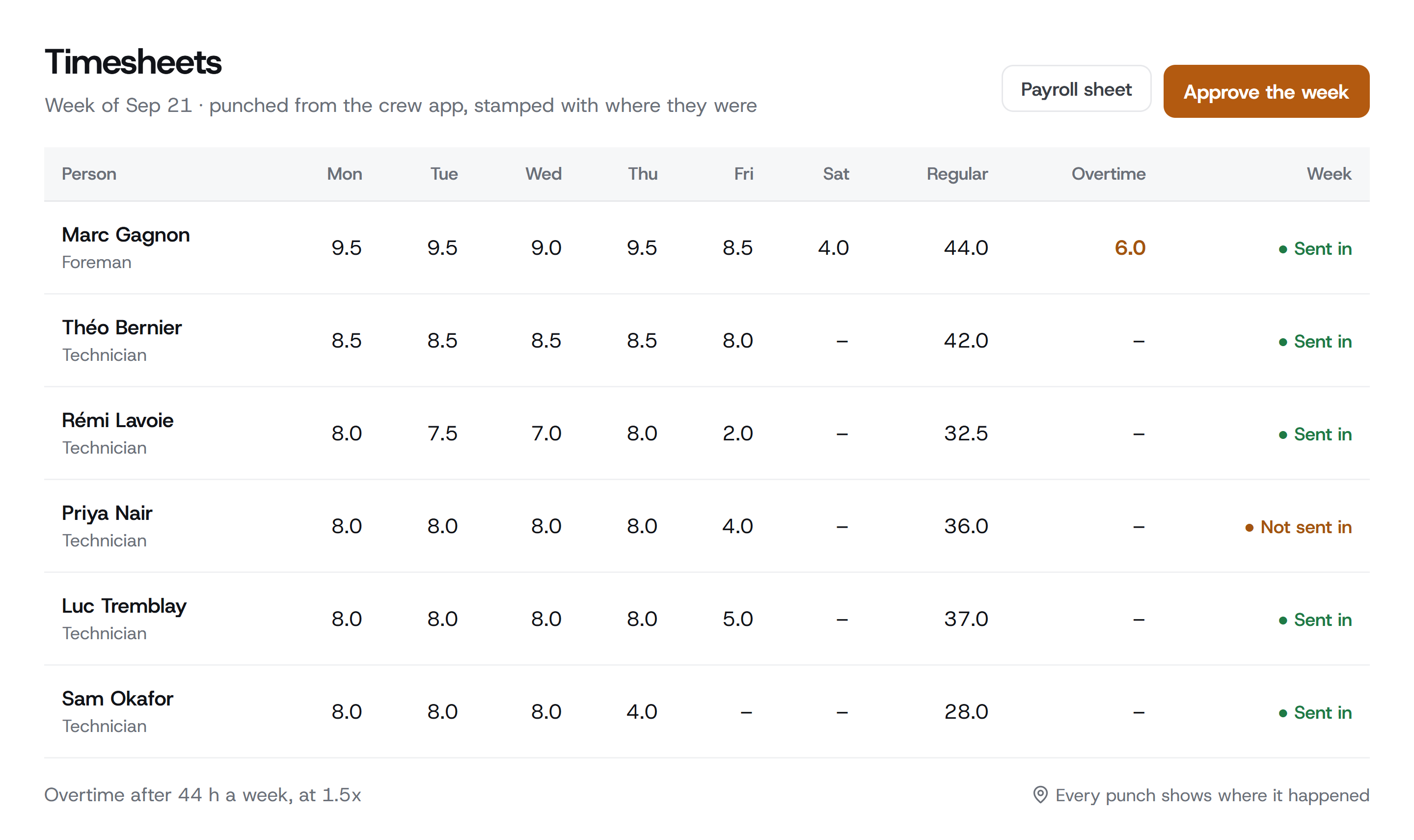
The crew clocks in on the phone app, and every punch shows where it happened. The week lands on the timesheet, the payroll sheet and the time-and-materials invoice without anyone typing it again.
The crew app is on the App Store for iPhone. Android is coming.
- Clock in with no signal; it syncs later
- Each person sends in their week, the office approves it
- Overtime after 44 hours, worked out for you
Four ways to bill, done properly.
Contractors don’t bill every job the same way, so OhmDesk doesn’t either. Each job bills the way it was sold, from the hours and parts the crew already put in.
Service calls and T&M bill the work as it happens.
The crew's clock-ins become the hours, by person and day, and the work orders' parts become the materials, at your prices. One work order at a time, or several on one invoice.
- Hours from the crew's clock-ins
- Parts from the work orders
- Nothing typed twice
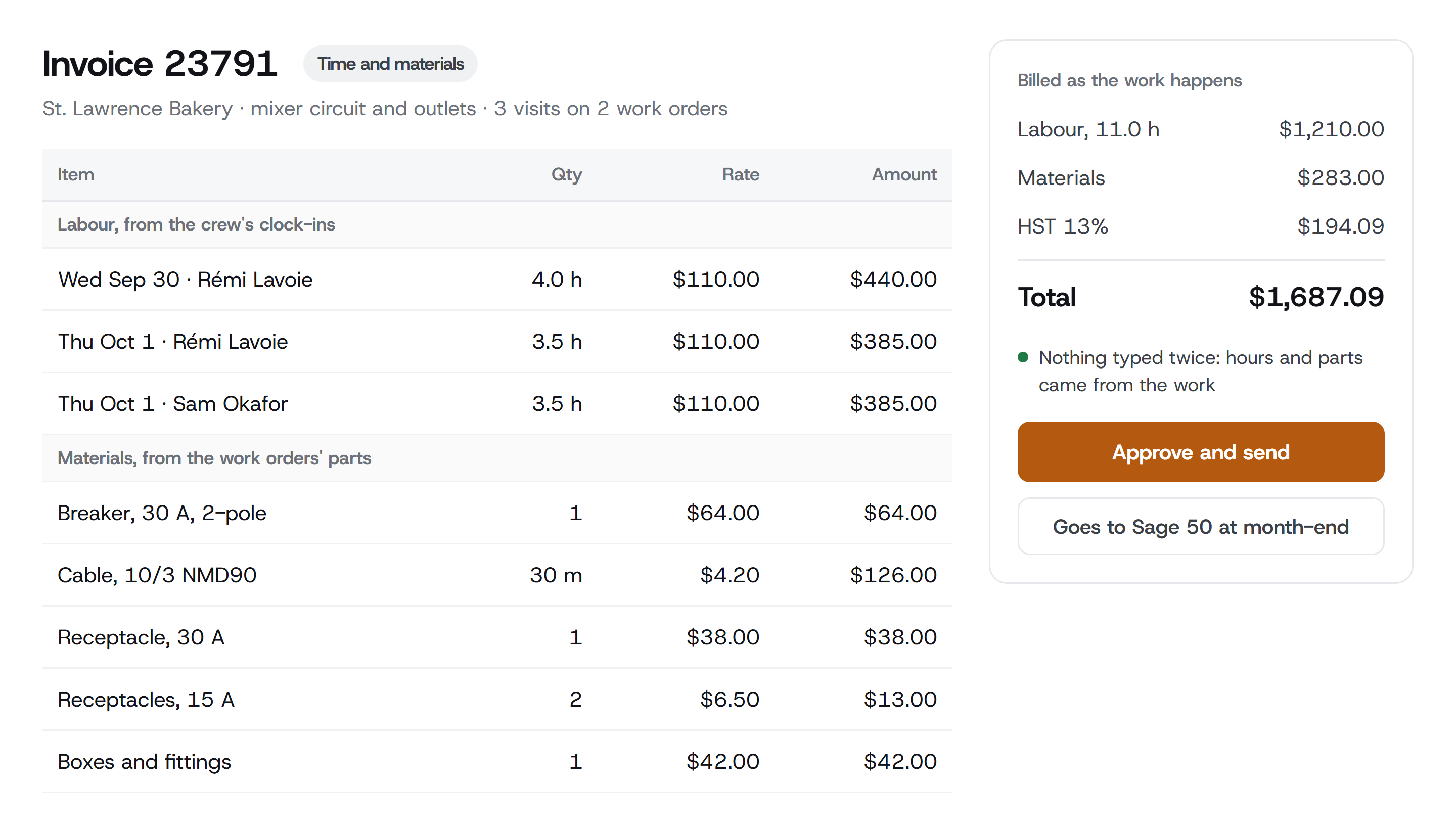
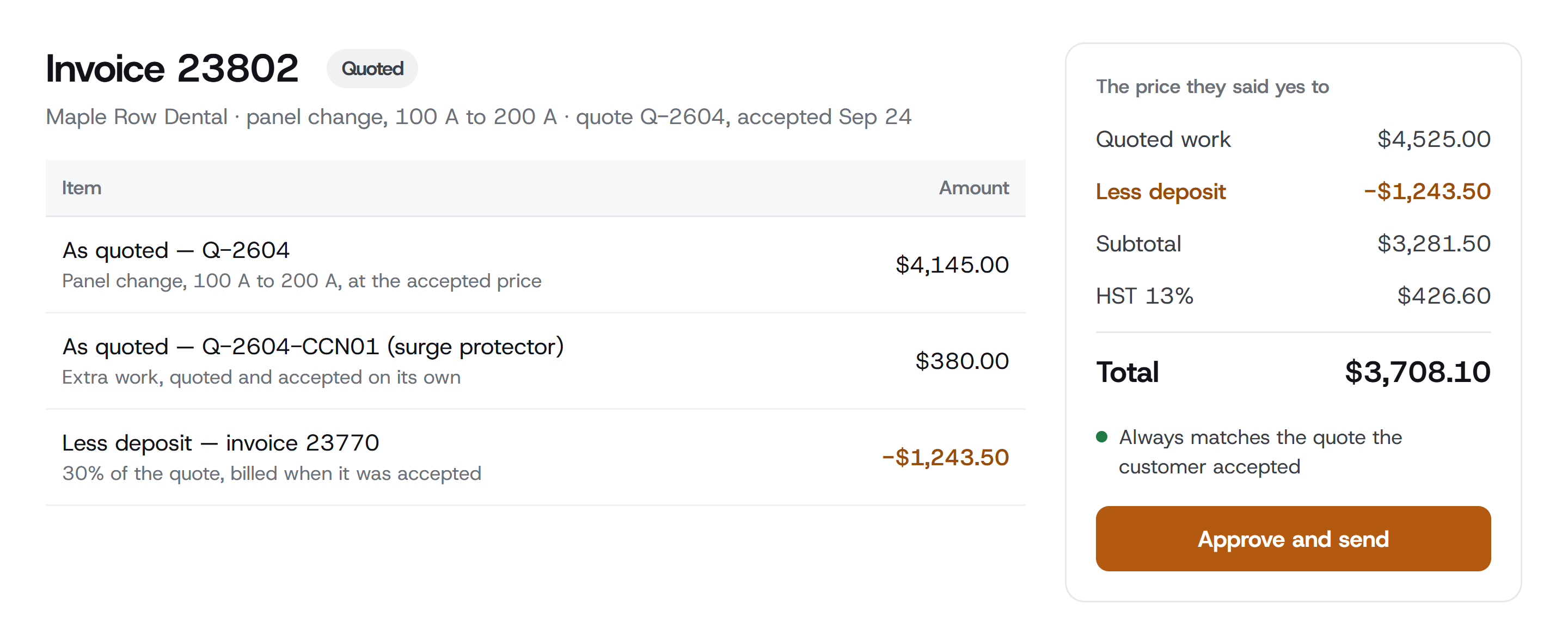
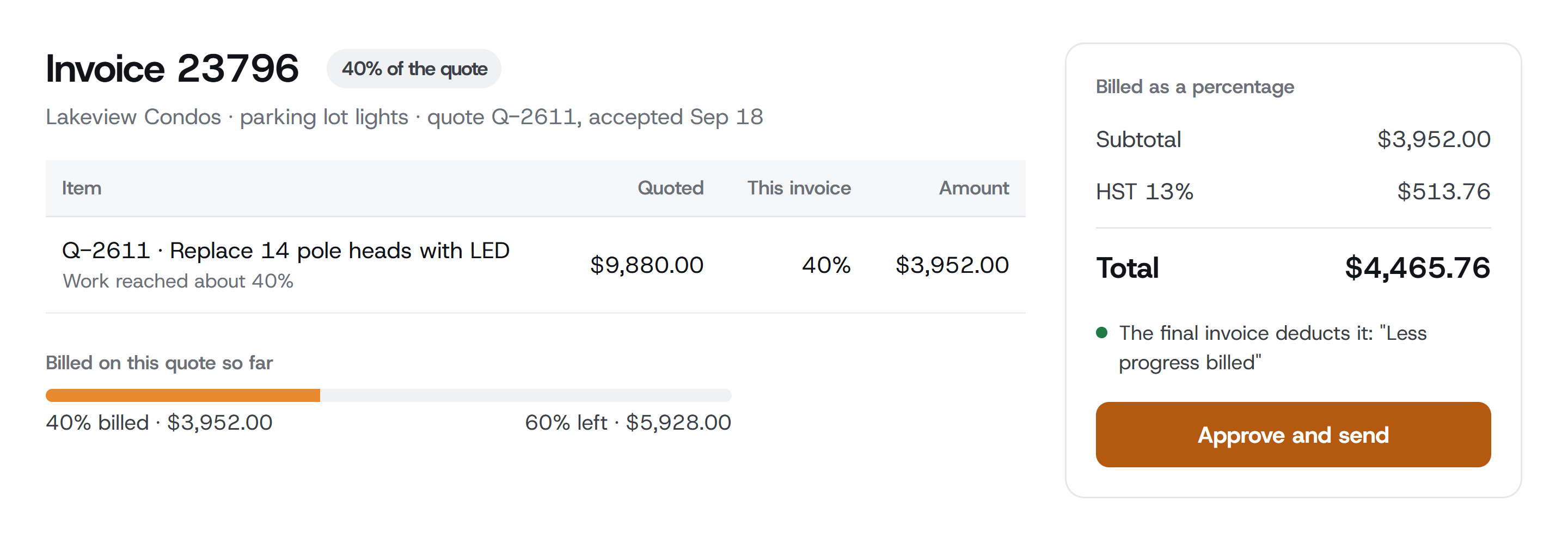
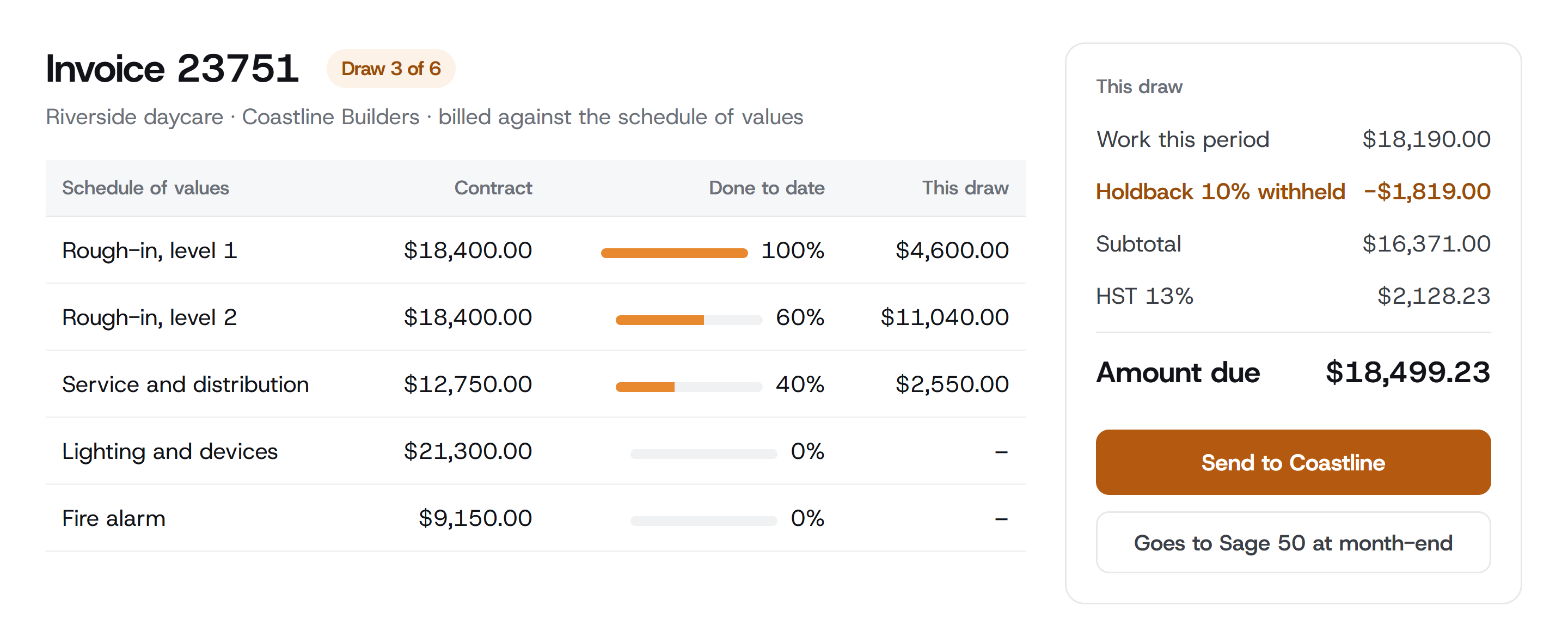
On every kind of job: credit notes applied or refunded, invoices approved before they go out, and month-end to Sage 50 as a journal.
And the rest of the shop.
- The dispatch board
- Drag work onto a person's day. Meetings, training and shop days sit on the same board.
- Safety forms
- Hazard assessments filled in and signed on the phone before the work starts.
- Photos and notes
- Straight from the phone into the job file, where the office sees them.
- RFIs
- The job's questions to the engineer, with who asked and when the answer is due.
- Supplier POs
- A PO number for every purchase, checked against the supplier's bill.
- Credit notes
- Applied to an invoice or refunded, with the paper trail kept.
- Fleet
- Trucks, fuel fill-ups and vehicle inspections.
- Overtime rules
- Weekly thresholds, after-hours and call-out rates, banked hours.
- Roles for each person
- Office, project manager, foreman, technician, accountant: each sees their part.
- Hide money
- One press masks every dollar amount, for the crew meeting on the big screen.
- Ask
- The built-in helper: ask who's free Thursday and it prepares the visit for you to confirm. Switched on for your company on request.
- Only what you use
- Switch off the parts your shop doesn't do. The crew only sees the rest.
Built inside an electrical shop.
OhmDesk was built inside a working electrical shop in Ontario, to replace an Excel job register and the re-typing into Sage. Every screen copies how the shop really works: who books the day, who checks the work, who sends the bill.
Questions go to the person who builds it: support@ohmdesk.com
Two prices. Pay for the people who use it.
Monthly, in Canadian dollars, no contract. Add someone for the busy season and the seat is prorated. GST/HST is added at checkout.
Full pricingOffice seat
$59CAD a month
Quotes, the board, invoicing, timesheets and Sage 50.
Field seat
$29CAD a month
The crew app: the day, clock-in, forms and photos.
The accountant’s seat is free. One office login and four electricians: $175 a month.
Try it on your next job.
Set up your company, send a real quote and book your crew’s week. Free for 14 days, no credit card.